
AI image editing has changed how creators, marketers, and businesses produce visual content. Instead of spending hours learning complicated editing software, users can now describe an edit in plain English and let AI handle much of the work.
I compared several popular AI image editors based on ease of use, free access, prompt-based editing, output quality, speed, and practical features. For users who want a free tool without immediately creating an account, Magic Hour stands out.
Best AI Image Editors at a Glance
| Tool | Best For | Free Plan | No Sign-Up | Platform |
| Magic Hour | AI editing & creative workflows | Yes | Yes | Web, mobile |
| Adobe Firefly | Professional AI editing | Yes | Limited | Web |
| Canva | Marketing & social content | Yes | Limited | Web, mobile |
| Pixlr | Browser photo editing | Yes | Limited | Web, mobile |
| Fotor | Quick photo enhancement | Yes | Limited | Web, mobile |
| Photoroom | Product photography | Yes | Limited | Web, mobile |
1. Magic Hour — Best Free AI Image Editor Overall
Source: magichour.ai
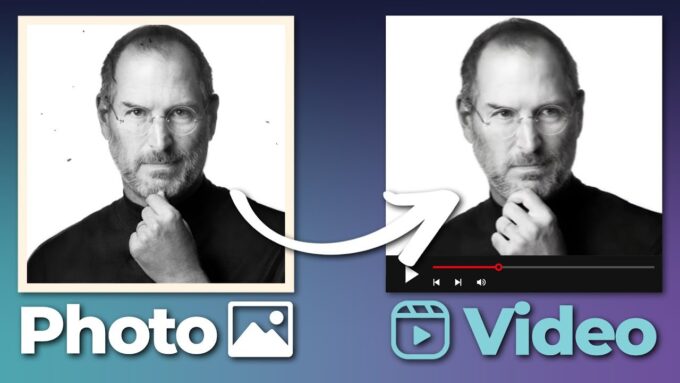
Magic Hour takes the #1 spot because it makes AI image editing simple while offering a broad collection of creative tools.
With its ai image editor, you can upload an image and describe what you want to change. You can remove unwanted objects, replace backgrounds, retouch portraits, restore images, and create visual variations without relying on complicated editing controls.
For people searching for an ai image editor with prompt free access, Magic Hour is particularly convenient because you can test the editor directly in your browser without signing up.
Pros
- Free AI image editing
- No sign-up required to try
- Prompt-based editing
- Object removal and background replacement
- Multiple AI models and creative tools
- Fast image variations
- Works on desktop and mobile
- Useful for creators, marketers, and developers
- API availability for automated workflows
Cons
- Free usage has limits
- Advanced features require credits
- Difficult edits may still need manual refinement
If you want a simple AI editor that turns natural-language instructions into image edits, Magic Hour is my first choice.
Magic Hour’s current pricing includes a Free plan, Creator at $19/month or $12/month billed annually, Pro at $39/month or $25/month billed annually, and Business at $99/month or $66/month billed annually. Magic Hour pricing
2. Adobe Firefly — Best for Professional AI Editing
Source: pcmag.com
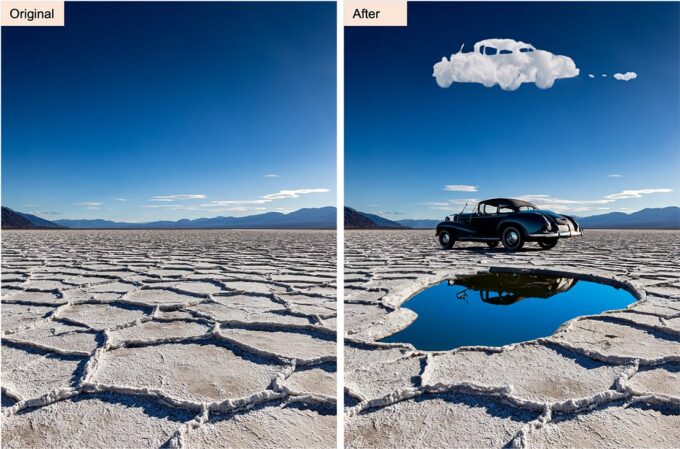
Adobe Firefly is a strong choice for professional designers, particularly those already using Adobe’s creative ecosystem.
Its generative AI tools can help users modify images, generate content, replace elements, and make creative changes using text prompts. It is more feature-rich than many simple browser editors, although that can also make it less approachable for beginners.
Pros
- Powerful generative editing
- Excellent Adobe integration
- Professional creative tools
- Strong prompt-based features
- Suitable for commercial workflows
Cons
- More complicated for beginners
- Generative credits limit some usage
- Best value comes with other Adobe products
Best for: Professional designers and creative teams already using Adobe software.
3. Canva — Best for Social Media Content
Source: zapier.com
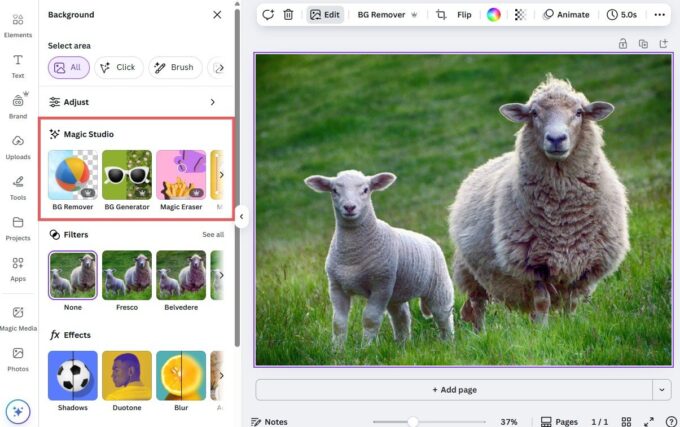
Canva combines AI editing with templates and graphic-design tools. That makes it especially useful for marketers and creators who need to turn an edited image into a finished social post, advertisement, presentation, or thumbnail.
Pros
- Very easy to use
- Excellent templates
- Useful AI features
- Strong social media workflow
- Web and mobile support
Cons
- Some AI features require paid access
- Not ideal for advanced photo manipulation
- Premium assets require a subscription
Best for: Marketers, social media managers, and startup teams.
4. Pixlr — Best Browser-Based Alternative
Source: pixlr.com
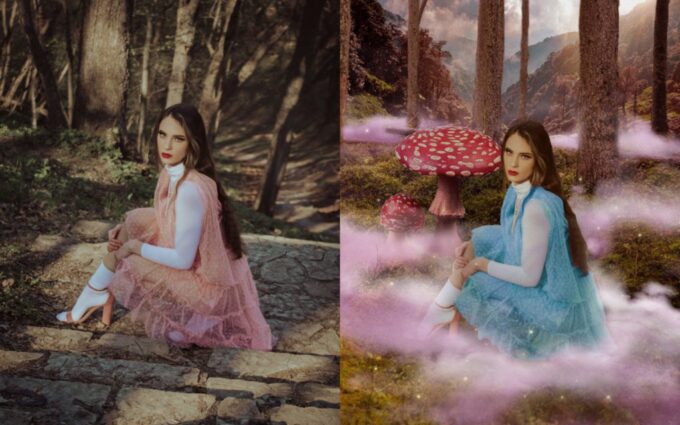
Pixlr combines traditional photo-editing controls with AI features. It is useful for people who want more manual control than a pure prompt-based editor provides.
Pros
- Browser-based
- Free option
- AI editing features
- Traditional editing controls
- No installation required
Cons
- Free features have restrictions
- Interface can take time to learn
- Less powerful than professional desktop software
Best for: Users who want a mix of AI and conventional photo editing.
5. Fotor — Best for Quick Enhancements
Source: au.pcmag.com
Fotor focuses on making common photo-editing tasks accessible to beginners. Its AI tools can improve portraits, enhance images, remove backgrounds, and apply creative effects.
Pros
- Simple interface
- AI enhancement tools
- Good for portraits
- Web and mobile access
- Beginner-friendly
Cons
- Free usage is limited
- Some advanced features require payment
- Less suitable for complex editing
Best for: Users who mainly need quick photo improvements.
6. Photoroom — Best for Product Images
Photoroom is particularly useful for e-commerce sellers. Its main strength is turning ordinary product photos into cleaner marketing images through background removal, replacement, and automated presentation.
Pros
- Excellent background removal
- Strong product-photo workflow
- Useful for online stores
- Fast editing
- Mobile support
Cons
- More specialized than general editors
- Free exports have restrictions
- Advanced features require paid access
Best for: E-commerce sellers and product marketers.
How I Chose These AI Image Editors
I focused on practical factors rather than simply counting features. The most important question was how quickly a user could turn an ordinary image into something usable.
I considered free availability, sign-up requirements, prompt-based editing, image quality, speed, export restrictions, mobile access, commercial usage, and API capabilities.
I also tested the type of instructions modern creators actually use, such as removing background objects, changing environments, improving portraits, and generating different visual variations.
The best AI editor is the one that produces a useful result with the fewest steps.
AI Image Editing Trends in 2026
Source: ndtv.com
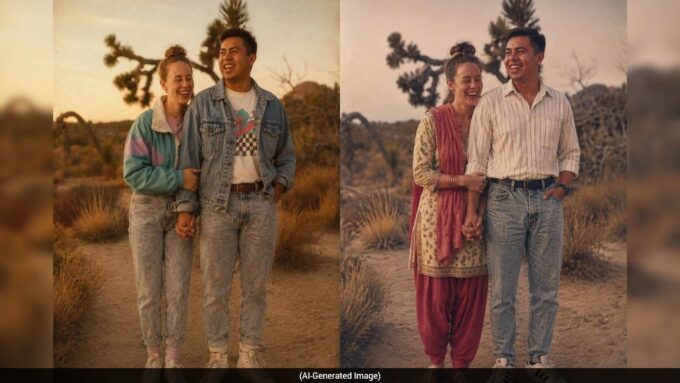
The biggest shift is from traditional tool-based editing toward instruction-based editing.
Instead of selecting brushes, masks, and individual adjustment controls, users can increasingly tell an AI what they want:
AI then interprets the instruction and generates the modification.
Another major trend is combining image generation, editing, upscaling, and video creation in one workflow. This is useful for creators who need to produce several versions of an asset quickly.
AI platforms are also increasingly offering multiple models instead of forcing users to depend on one system. For developers and businesses, API access is becoming equally important because AI editing can be integrated directly into websites and content pipelines.
Final Takeaway
For most users, Magic Hour is the best free AI image editor online in 2026, especially if you want prompt-based editing without signing up.
Adobe Firefly is better suited to professional Adobe workflows, Canva is excellent for marketing content, Pixlr offers more traditional editing controls, Fotor is convenient for quick enhancements, and Photoroom is a strong choice for e-commerce.
My recommendation is to test the same image across several platforms before paying for a subscription. Image-editing quality depends heavily on the source image and the type of edit you request.